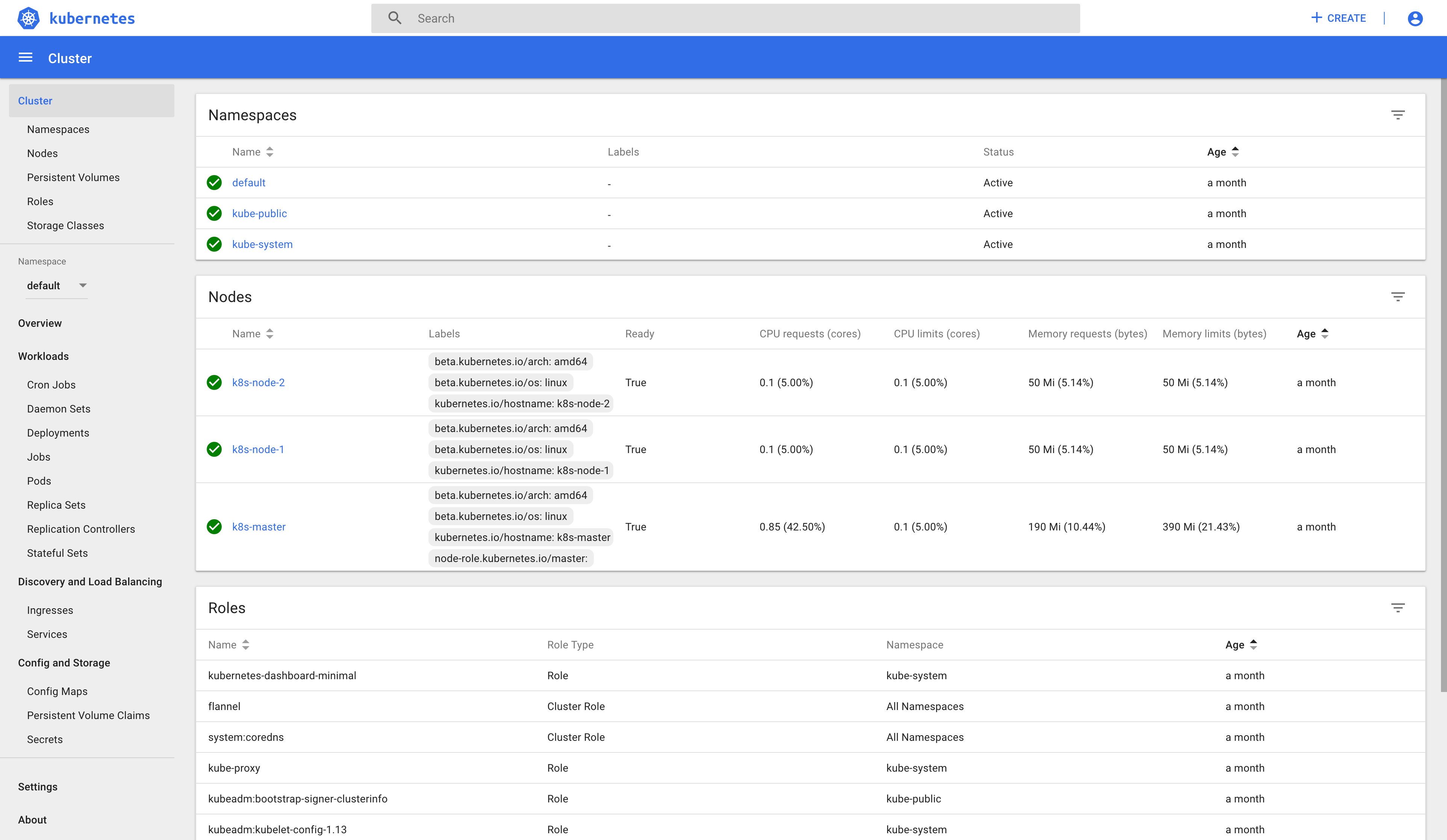
This post guides you through deploying the Kubernetes dashboard after Deploy Kubernetes Cluster.
Install Dashboard
Download and install Docker images
docker pull mirrorgooglecontainers/kubernetes-dashboard-amd64:v1.10.1
docker tag mirrorgooglecontainers/kubernetes-dashboard-amd64:v1.10.1 k8s.gcr.io/kubernetes-dashboard-amd64:v1.10.1
docker image rmi mirrorgooglecontainers/kubernetes-dashboard-amd64:v1.10.1
Download dashboard config file template
wget https://raw.githubusercontent.com/kubernetes/dashboard/master/aio/deploy/recommended/kubernetes-dashboard.yaml
Edit dashboard config file add type: NodePort in Dashboard Service section
spec:
  type: NodePort
  ports:
    - port: 443
      targetPort: 8443
Install dashboard
kubectl create -f kubernetes-dashboard.yaml
Check dashboard running status
kubectl get pods --all-namespaces
NAMESPACE     NAME                                   READY   STATUS    RESTARTS   AGE
kube-system   coredns-86c58d9df4-fvzh6               1/1     Running   0          33m
kube-system   coredns-86c58d9df4-jcjgn               1/1     Running   0          33m
kube-system   etcd-k8s-master                        1/1     Running   0          32m
kube-system   kube-apiserver-k8s-master              1/1     Running   0          32m
kube-system   kube-controller-manager-k8s-master     1/1     Running   0          32m
kube-system   kube-flannel-ds-amd64-fl8k6            1/1     Running   0          21m
kube-system   kube-flannel-ds-amd64-jjqbx            1/1     Running   0          25m
kube-system   kube-flannel-ds-amd64-sh79b            1/1     Running   0          21m
kube-system   kube-proxy-mlnkt                       1/1     Running   0          33m
kube-system   kube-proxy-pf7fp                       1/1     Running   0          21m
kube-system   kube-proxy-t54fr                       1/1     Running   0          21m
kube-system   kube-scheduler-k8s-master              1/1     Running   0          32m
kube-system   kubernetes-dashboard-57df4db6b-kmxw9   1/1     Running   0          22s
Creating sample user, reference guide on GitHub
Create a config file dashboard-adminuser.yaml for Service Account and ClusterRoleBinding
---
apiVersion: v1
kind: ServiceAccount
metadata:
  labels:
    k8s-app: kubernetes-dashboard
  name: kubernetes-dashboard-admin
  namespace: kube-system

---
apiVersion: rbac.authorization.k8s.io/v1beta1
kind: ClusterRoleBinding
metadata:
  name: kubernetes-dashboard-admin
  labels:
    k8s-app: kubernetes-dashboard
roleRef:
  apiGroup: rbac.authorization.k8s.io
  kind: ClusterRole
  name: cluster-admin
subjects:
- kind: ServiceAccount
  name: kubernetes-dashboard-admin
  namespace: kube-system
Create user and role binding
kubectl apply -f dashboard-adminuser.yaml
Bearer Token
kubectl -n kube-system describe secret $(kubectl -n kube-system get secret | grep kubernetes-dashboard-admin-token | awk '{print $1}')

Name:         kubernetes-dashboard-admin-token-ngv5v
Namespace:    kube-system
Labels:       <none>
Annotations:  kubernetes.io/service-account.name: kubernetes-dashboard-admin
              kubernetes.io/service-account.uid: 0aec2ffb-1d77-11e9-a792-000c29e92d29

Type:  kubernetes.io/service-account-token

Data
====
token:      eyJhbGciOiJSUzI1NiIsImtpZCI6IiJ9.eyJpc3MiOiJrdWJlcm5ldGVzL3NlcnZpY2VhY2NvdW50Iiwia3ViZXJuZXRlcy5pby9zZXJ2aWNlYWNjb3VudC9uYW1lc3BhY2UiOiJrdWJlLXN5c3RlbSIsImt1YmVybmV0ZXMuaW8vc2VydmljZWFjY291bnQvc2VjcmV0Lm5hbWUiOiJrdWJlcm5ldGVzLWRhc2hib2FyZC1hZG1pbi10b2tlbi1uZ3Y1diIsImt1YmVybmV0ZXMuaW8vc2VydmljZWFjY291bnQvc2VydmljZS1hY2NvdW50Lm5hbWUiOiJrdWJlcm5ldGVzLWRhc2hib2FyZC1hZG1pbiIsImt1YmVybmV0ZXMuaW8vc2VydmljZWFjY291bnQvc2VydmljZS1hY2NvdW50LnVpZCI6IjBhZWMyZmZiLTFkNzctMTFlOS1hNzkyLTAwMGMyOWU5MmQyOSIsInN1YiI6InN5c3RlbTpzZXJ2aWNlYWNjb3VudDprdWJlLXN5c3RlbTprdWJlcm5ldGVzLWRhc2hib2FyZC1hZG1pbiJ9.AIk_OeA1zRQJpY2qFgFoXWhM8ketEFnzMI82Jj8AVama8ycIHnV8m7nssGg7hegjhSUhPzdVun95VNjiA0dcmCWwvH0IkAqYFOh3hahFIHCO2HjM8F7wNotRS1LVuf221EJOV5f5VXyLEFp78sm69dS607-1X695X9BxH4iOIPz0R2GANHggJwC57oflUR_r0sfomYPfw49JKVqhGVsLl37RTcU-lTlvN5d-tT-GLlJVpowHZR7PUx27iODpViHn0iB0OhXPLR-Wdd3SlfcrrtIhupOL-PPI6fxVQwUii94nr0bmFwj6lh_aJFD5t3dERJxiEltICg3jkEsMyZEIPQ
ca.crt:     1025 bytes
namespace:  11 bytes
Check dashboard listing port
kubectl get svc -n kube-system
NAME                   TYPE        CLUSTER-IP     EXTERNAL-IP   PORT(S)         AGE
kube-dns               ClusterIP   10.96.0.10     <none>        53/UDP,53/TCP   39m
kubernetes-dashboard   NodePort    10.98.98.181   <none>        443:31896/TCP   6m51s
Visit the dashboard via https://172.16.3.136:31896
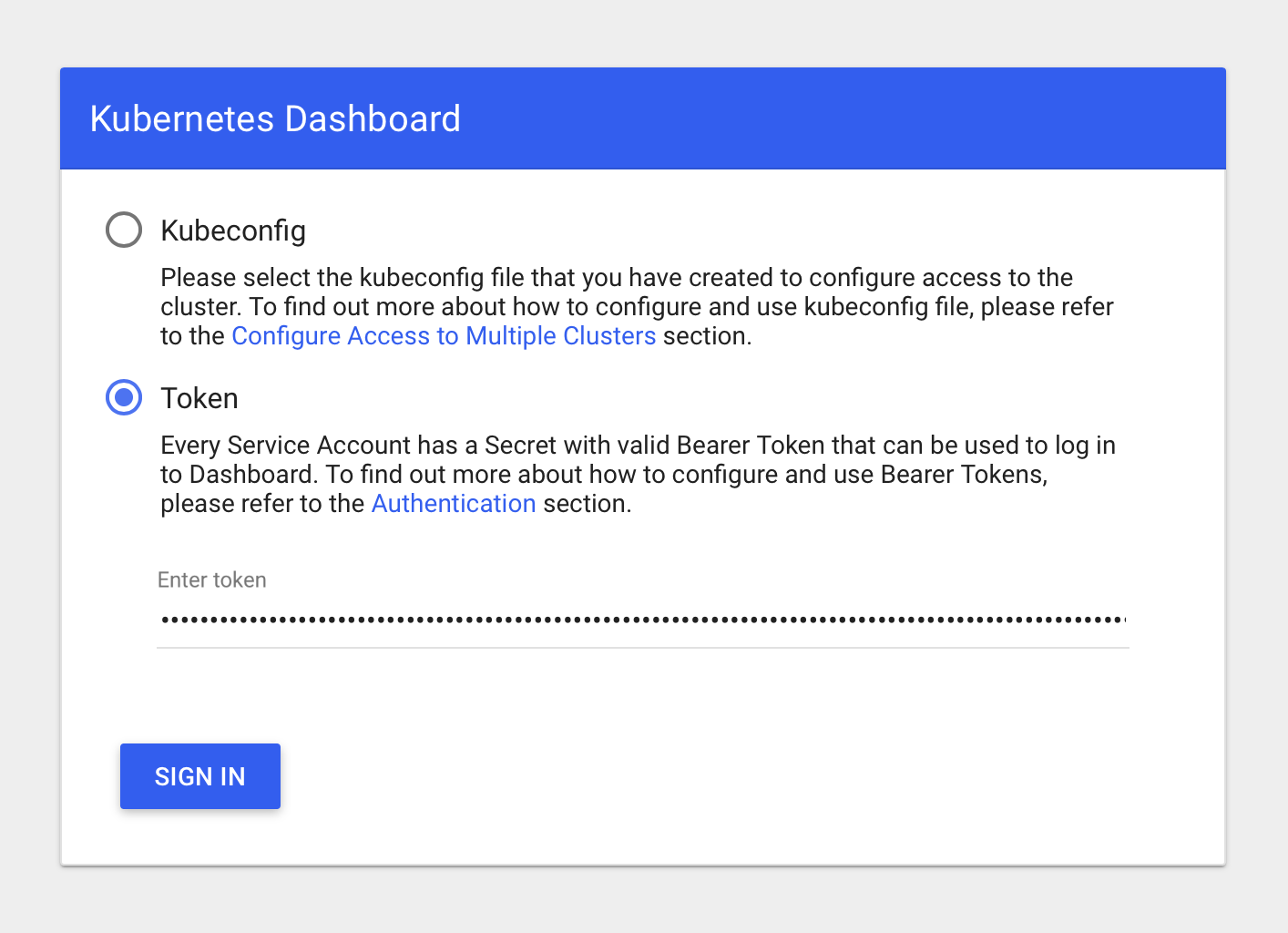
Choose Token, paste the authentication token output from the previous command into the Token field, and choose SIGN IN.