OS X Mavericks (version 10.9) is the tenth major release of OS X, Apple Inc.’s desktop and server operating system for Macintosh computers. OS X Mavericks was announced on June 10, 2013, at WWDC 2013, and was released on October 22, 2013, as a free update through the Mac App Store.
The update places emphasis on battery life, Finder enhancements, other enhancements for power users, and continued iCloud integration, as well as bringing more of Apple’s iOS apps to the OS X platform. This release marks the beginning of a change in the naming scheme of OS X, departing from the use of big cats and moving to names based on places in California. Following the new naming scheme, the current version of the operating system is named Mavericks, after the surfing location in California.
Apple Inc. Official Website www.apple.com
Related Links Install Mac OS X Mavericks in VMware Virtual Machine
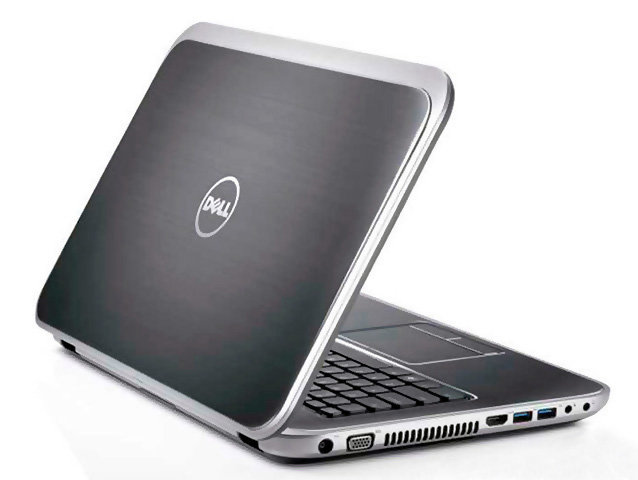
Laptop Basic Parameters
Time to market         : September 2012
Motherboard Chipset    : Intel HM67
CPU Series             : Intel Core I5 3 3210M (Ivy Bridge)
Memory                 : 4GB DDR3 1600 MHZ (Maximum 32GB)
Hard Disk              : 750GB 5400 Turn, SATA
Drive type             : Built-in DVD (support DVD SuperMulti double burn)
Display                : 15.6 inches 1366 x768 (16:9)
Graphics Chip          : Intel HD Graphics 4000 and AMD Radeon HD 7670M (Not Work)
Audio Chip             : Conexant High-Definition CX20561
Wired Network Adapters : Realtek RTL8139/810x Fast Ethernet Adapter
TouchPad               : Elantech TouchPad V3
Multimedia Equipment   : Integrated Camera
Note that the wireless network card not work after the installation, but wired network is available, you can use the USB adapter connected to the wireless Internet, and the AMD Radeon HD 7670M Graphics doesn't work.
Preparations
Download
OS X Install Mavericks 13A603.torrent.zip
Chameleon-2.2svn-r2255
1604-Kext Wizard.zip
Download MultiBeast Mavericks Edition from tonymacx86.com
Extra v2.0.zip
Extra for DELL Inspiron 5520 v2.0.zip
OS X Mavericks Single System Installation
Before installation you need have an existing Mac or Hackintosh with Mac OS X to run some program. You could use a real Mac or existing Hackintosh, if you own one. You can also be installed on a virtual machine.
Divid the hard disk is into two or more partitions, a partition to restore the installation cdr image(10GB), another as a system installation partition (20GB+).
Please confirm before installation, hard disk partition table is MBR partition table, use Disk Utility to restore cdr file recovery to 10GB partition ...
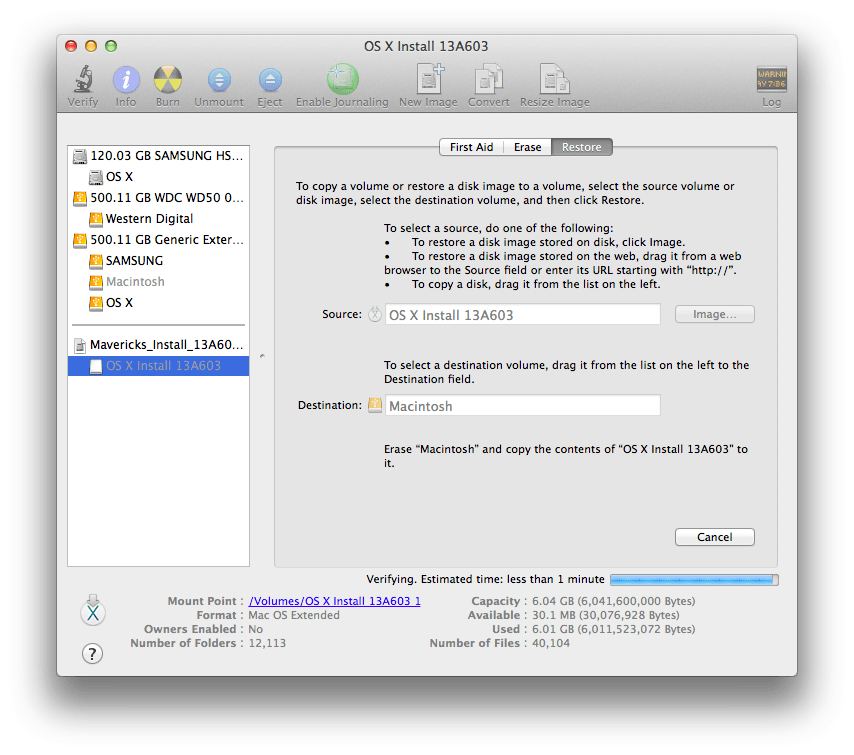
... install Chameleon-2.2svn-r2255 on 10GB partition. Download Extra v2.0.zip and unzip it, copy Extra folder to 10GB partition replace same name folder. Copy Extra for DELL Inspiron 5520 v2.0.zip, 1604-Kext Wizard.zip and MultiBeast Mavericks Edition.zip to 10GB partition not unpacked. Well, now you’ve created a bootable installation disk.
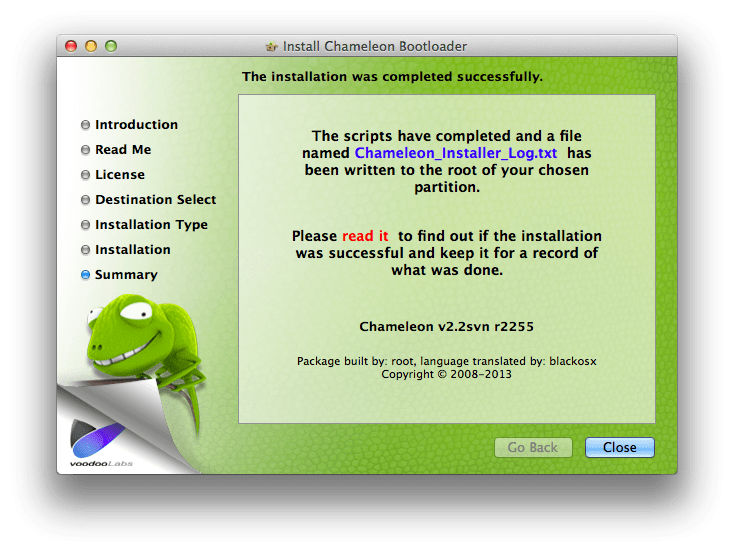
Install OS X Mavericks 10.9
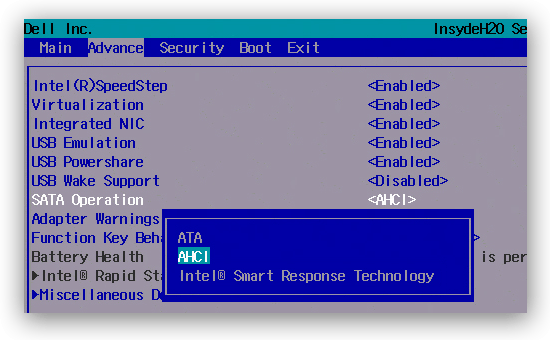
Restart your computer, enter BISO by press F2, confirm HDD mode is AHCI,
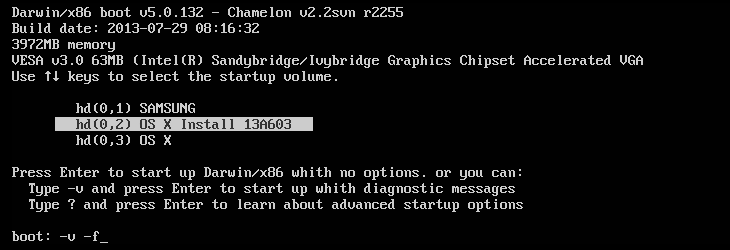
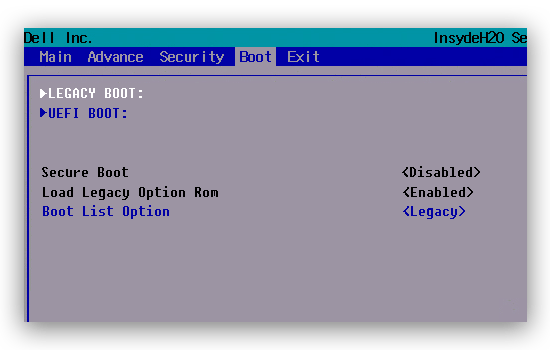
and use the legacy boot mode.
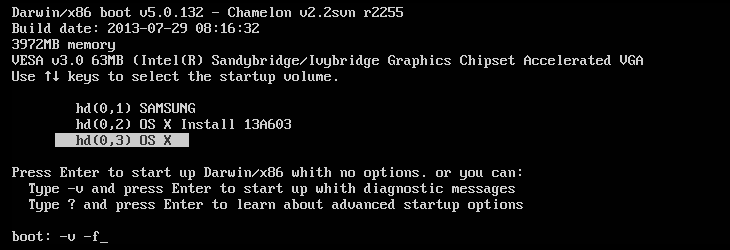
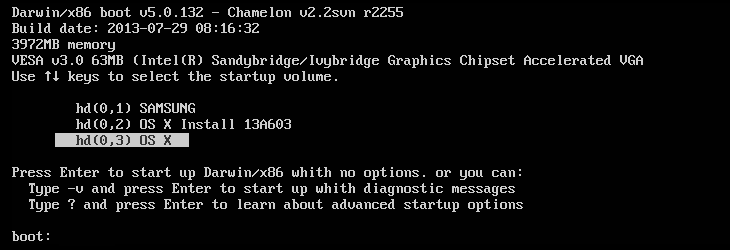
After you start select the 10GB partition to enter the installation interface.
Install Driver
After installation, select system where the partition to start OS X Mavericks, after entering the operating system ...
... unzip downloaded Extra for DELL Inspiron 5520 v2.0.zip replace same name folder of system partition.
Install the Sound Card Driver
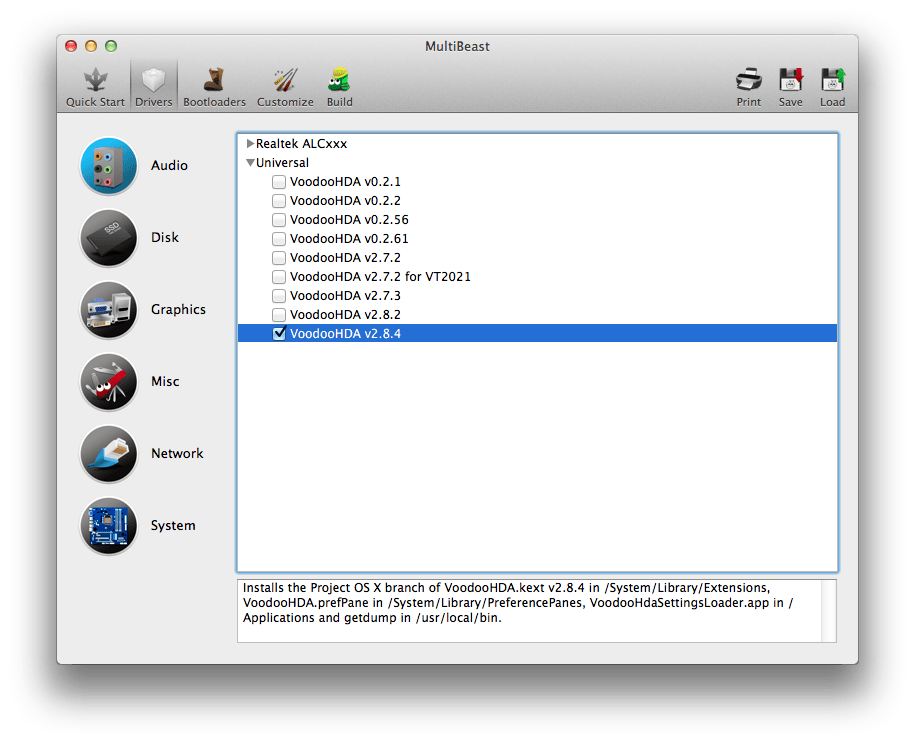
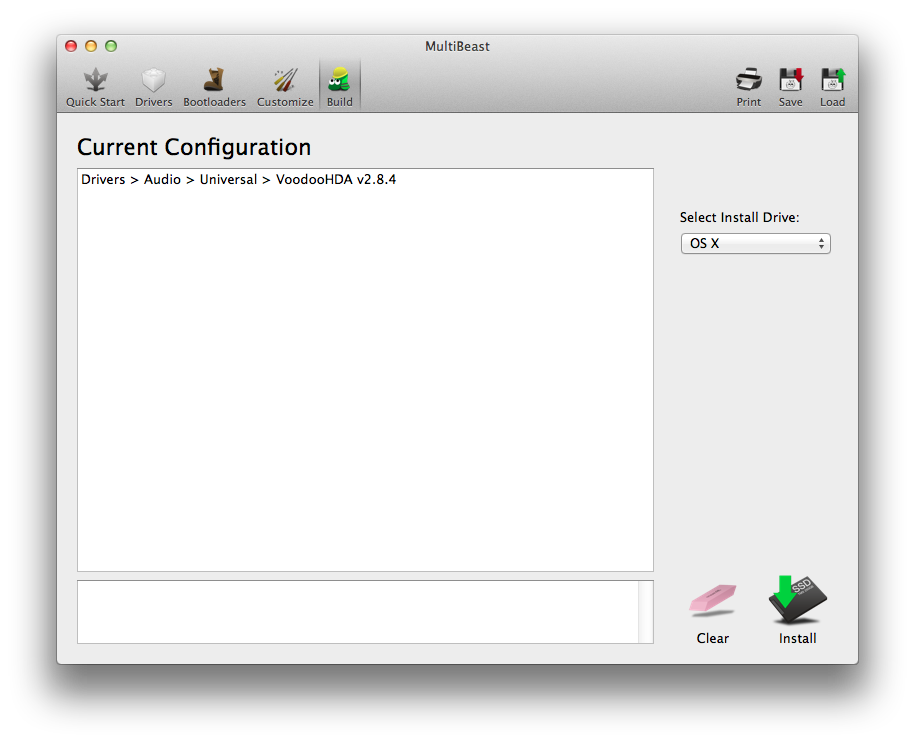
Extracting MultiBeast Mavericks Edition.zip, Open MultiBeast, in the Driver tab, check the Universal → VoodooHDA v2.8.4 ...
... in the Build tab, click Install.
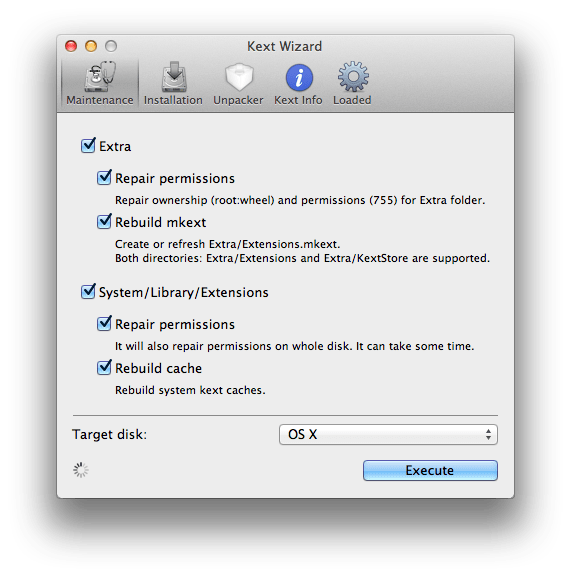
After install, you should extracting 1604-Kext Wizard.zip, use the Kext Wizard to repair disk permissions and restart your computer.
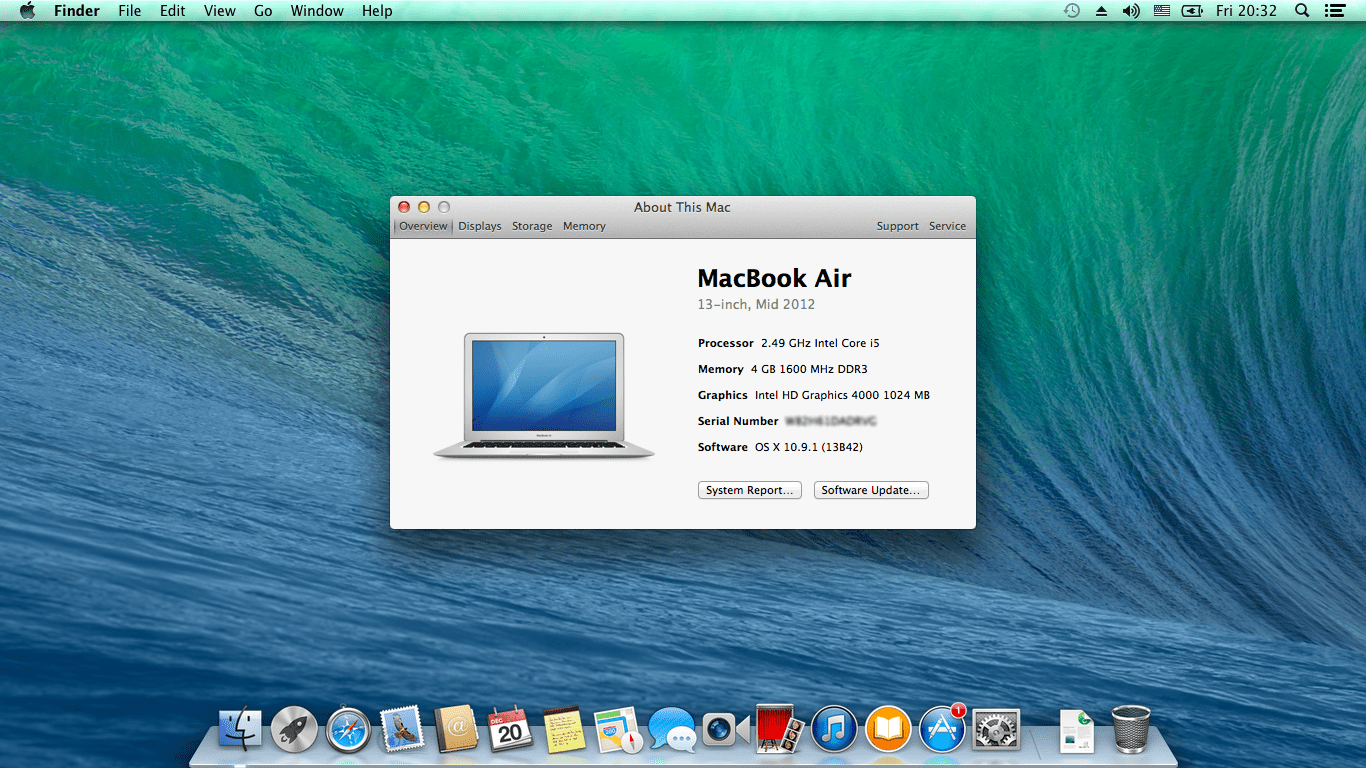
Installation is complete! At boot time press Enter to select the system.
Configuration Chameleon
- Startup Parameters
-f This forces rebuilding of extensions cache
-s Boots into a single user command line mode
-v Verbose, boots in text mode showing all debug info and errors
-x Boots into safe mode
- Set the Default Boot Partition
Open /Extra/org.chameleon.Boot.plist, add the following one configuration
<key>Default Partition</key>
<string>hd(0,2)</string>
Hidden Partition
<key>Hide Partition</key>
<string>hd(0,1) hd(0,3)</string>
Automatically Enter the System
<key>Quiet Boot</key>
<string>Yes</string>
Solve FAQ
Solve Unable to sign in because of a problem communicating whith iCloud.
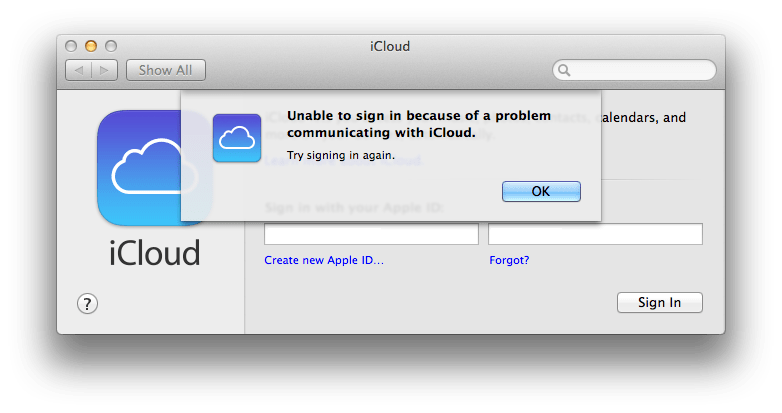
Remove /Library/Preferences/SystemConfiguration/NetworkInterfaces.plist
Open /Extra/org.chameleon.Boot.plist, copy
<key>device-properties</key>
<string>5e0000000100000001000000520000000100000002010c00d041030a000000000101060000027fff04002c0000004100410050004c002c00690067002d0070006c006100740066006f0072006d002d006900640000000800000003006601</string>
... to /Library/Preferences/SystemConfiguration/com.apple.Boot.plist
Restart your computer.
Rubbish. I have to type -v-f to make my hack work
Hi! I have updated the drivers, needn't to type the startup parameters now ;)
Please guide I can create và set up mac os x 10.9 detail. I created the same settings that you do not install
can you make a video of this installing?
Is the audio working? I tried many times with my desktop but audio didn't work, and the max resolution was jus 1024 x 768. What's about yours?
P/s: My laptop is Dell 15R 5520 i7, 8GB ram/ HD4000 or 7670...
It is working, use MultiBeast to install sound card driver, and after install, don't forget to use the Kext Wizard to repair disk permissions and restart your computer.
Good news. Thank in adv.
What's about screen resolution?. :)
By the way, last question is about the touch pad. Does it work normally (as it works on Windows) ?
I stucked at "Still waiting for root device" error.
How can u pass this error?
Im stuck in no interval found for . using 8000000... plz help me out
Hi XuRi, i have the same laptop, and my laptop card reader is not working, is yours working?? and one more thing how can i enable gesture support for the touchpad. thanks
You can download AnyCardReader.kext, place it in /Extra/Extentions folder and repair disk permission. Sorry, currently doesn't support gesture.
Im stuck in :
no interval found for . using 80000 still waiting for root device
help please
hi xuri, the card reader is not much of a big deal, what im concerned is about power management. HWMonitor shows that my CPU Package total power consumption to be around 20 watts, that too high. How much does you shows, and how i can i fix this??
No. I coudn't pass it. Still searching solution.
Did you try another USB device? Hope it works
no success
this is my laptop spec can you help
https://www.dropbox.com/s/4j6bc2ctjhiqxeq/Report.htm
If this is the case, first verify that the correct folder replaced, open AHCI mode in BIOS, and using a hard disk partition to install, rather than making USB boot disk. If the problem persists, please send your partition information sent to me.
I hope this is helpful for you.
Hi, some one says that Dell5520's fan would run very fast on MAC, even without running any thing. Is that true?
all its work but Graphics Chip: Intel HD Graphics 4000 and AMD Radeon HD 7670M not work "" can you help me
I have same Samori Problem i can't make work but i wondering how did you make it ! you did not use an edit kext or use EFI Code for graphics !!
How can I install on UEFI mode with GPT disk?
hello. I also this error. please help me troubleshoot :(((
I am also facing this very same issue :(
you help me fix this problem please? Ri Xu :(((
I did find out the cause and here's how to fix. This GenericUSBXHCI you add a kext in folder system / library / extension
ok. problem was solved :))))
Download link : https://drive.google.com/file/d/0BxPqnTgX78LvWjJOMFdUcUx4WTg/edit?usp=sharing
hello,i am using this method to install mavericks on dell inspirion 15 3521,finally i was able to get past the apple logo,but now my keyboard is not getting detected, trackpad does though.plz help
my specs
Brand/Family 3rd generation Intel® Core™ i5-3337U
CPU Speed 1.8 GHz
Cache Memory 3 MB
Turbo Boost Up To 2.7 GHz
RAM Type DDR3
Installed RAM 4 GB
Drives
Hard Drive Type HDD
Hard Drive Capacity 500 GB
Rotational speed(RPM) 5400RPM
Hard Drive Connection SATA
CD/DVD Drive SuperMulti DVD±R/RW support
Memory card reader Multimedia Card Reader (SD, SDHC, SDXC,MS,MS Pro,MSXC,MMC,MMC+)
Graphic Card VGA Brand Intel®+AMD radeon 7670M
Screen Screen Type TruLife® TFT display with LED backlighting
Screen Resolution 1366 x 768
Screen Size 15.6 inch
High Definition HD
Internet
Bluetooth Bluetooth® 4.0 + LE
LAN Integrated 10/100 M Ethernet LAN
WiFi Yes,IEEE 802.11 b/g/n
Interface USB 2 x USB 3.0 2 x USB 2.0
HDMI HDMI 1.4a
Audio Ports headphone (stereo)/external microphone composite
i will try your trick i hope it work thanks
What USB HDD did you use for the installation?
I use HDD for the installation.
Do you think it works on Dell Inspiron 15R 5537 too ?
Does it work on dell inspiron 5437 14r no touch . sir
Hi...The audio that worked for me was VoodooHDA 2.7.2 Every thing else works like a charm thank a million, but the default boot and the hide partition configuration didnt work for me is there any special procedure i must do so that it takes effect?? And cant update... is there a way i can update without it causing any panics??
I tried to install Mac OS X Maverick in my Dell 3521, so the screen stuck at the loading page, what should i do now?
Hi, can you please tell me how you did that. I tried and my keyboard is not working and I am on create new account page.
DId you find any solution for this. I am stuck at same step, keyboard not working.
what i did was i had to use external keyboard during installation(should be plugged in before booting) and once it was done I installed normal kext for keyboard and it was done
Used USB keyboard, but now wifi is not working.... I am going to by D-LINK DWA131
Just want to know your experience, are you still using that. I had used external USB keyboard and everything was working, but no wifi. now i am planning to buy wifi for it. but spending time and money on creating mac, just wanted to know the user experience.
i am using it for development....working fine for me...same wifi not working, some sound problems but it is stable and good to use without any glitches...up to you what you want to use it for..
I installed iATKOS 10.8.2 Mountain Lion on my Inspiron 5520 i7 using HackBoot (because the 13A603 wouldn't boot). I managed to fix the Keyboard, Audio, Screen resolution (1366x768) and touchpad. However, I don't know what drivers to install for the ethernet and USB. (The USB mouse works but when I insert a flash drive nothing happens; the flash drive's light doesn't even turn on). Any help would be appreciated!
I have installed this on my Dell Inspiron n5520 core i7 and it is working great. I took out my 1TB drive from laptop and used 120GB drive which I had spare, so I dont have to worry about any data corruption or multiboot. RIght now I have attached my 1TB with USB case.
Keyboard stopped working after installation so I had used external USB keyboard, and after installing the "Extra for DELL Inspiron 5520 v2.0 zip" file, keyboard started to work, but trackpad stopped dragging. Right now I am using external USB mouse and built in keyboard.
For Wireless, I have purchased "D-Link DWA-131 Rev A" which is working fine.
For Audio Drivers, I have used the one explained in the tutorial. That is working fine.
It is 10.9 and xCode was not being installed due to its requirements. I went to App Store and Updated this to 10.9.5, I had created a Time Machine Backup before downloading the update, just to be on safe side.
After update (1 GB) booted with "-v -f" flags, and my system boot up fine, without audio driver. I used Multibeast again and used the same 2.8.4 driver for audio and then fixed the permissions using Kext Wizard. After the reboot audio is back.
Right now I am downloading xCode (2.5 GB) and I hope this will work.
So far there are very few issues, mostly due to switch from Windows To Mac, and not the ability to delete any files from NTFS drives.
So far soo good. I will try to update this to 10.10, but after having some grip on the Apple Eco System.
I can confirm that xCode is working fine, and also Volume Up/Down Brightness Up/Down, Mute, Audio Play Next / Prev / Pause / Play function keys are working.
I am able to resolve trackpad drag an item/drag window issue.
I went tohttps://bitbucket.org/RehabMan/os-x-voodoo-ps2-controller/downloads and downloaded the latest file, used that in /S/L/E replacing the old file, and then using Kext wizard to fix the permission. And rebooted. now my trackpad is able to drag. But system preferences/trackpad is still showing no trackpad found
Hi Ri Xu, i am having the same laptop but find difficulty in installing Mac os. But I used 64 GB pendrive and made partition and trying to installed please help. I am totally new to hackintosh
and i need to work on Logic pro
how???
still searching for root device error occuring what should i do
I am not sure how, but it is working. I am on Dell Inspiron n5520, and now its been almost a month I am fully using the mac. I have only followed the tutorial,
I have done a clean installation of Yosemite using the Same DSDT provided above, and creating a custom chameleon boot following this tutorial http://www.insanelymac.com/forum/topic/298027-guide-aio-guides-for-hackintosh/
native screen resolution is 1366x768 but I am running mac on 1600x900
Yosmemite iMessages are not working, and so far I found that only CLOVER boot is able to solve it. I am no mood yet to try the new installation at the moment
My model number is exactly 5520 but I have core i7, after I upgraded to yosemite using the same dsdt, i am using that full time. Still on it.
Regarding how... i am not sure, it just worked...
Only Intel HD Graphics 4000 is working final. AMD is disable
guys, i am able to enable multi touch gestures, including 2 finger flick and 3 finger
I have removed the VoodoPS2 and installed Elan V 4.0.5 from http://forum.osxlatitude.com/index.php?/topic/1948-elan-touchpad-driver-mac-os-x/ and installed that in /S/L/E, I tried to install it in /E but it didnt worked so /S/L/E is important. Also please remove any other keyboard and mouse kext files.
happy hackintoshing
boot add -v -f checking wrong problem
I mage to install El capitan 10.11.6 on dell 5520
http://www.youtube.com/watch?v=IDcjKA0zwCI&t=17s