If your machine is part of the mainstream configuration, you can discard the traditional real native partition installation method, while the use of virtual machine method described in this article, not only greatly reduce the problems encountered difficult, but also in the use of Mac OS X to get the experience is excellent the. (This tutorial configuration needs: support hardware virtualization technology (Virtualization) of the CPU. Current mainstream Intel Core series and AMD Athlon series CPU virtualization technology is supported, the name was Intel VT-x and AMD-V.)
Description of the whole process
Preparatory work
Installing VMware
Crack VMware supports Mac OS X
In VMware Install Mac OS X
Finishing work late
Preparation
This tutorial method used by the virtual machine, provided that the machine's CPU must support hardware virtualization technology. Readers can be CPU-V or CPU-Z and other tools to test the result. Open CPU hardware virtualization technology can be turned on via the motherboard BIOS settings.
Download and install VMware Workstation VMware can go to the official website or on the ed2k network search download (recommended). Described here no longer compile.
Apple systems on Mac OS X installation disc image, use the dmg format of the original image. I recommend to search for ed2k network download (recommended), the keyword is "Mac OS X Mountain Lion dmg" or "Mac OS X Lion dmg". Described here no longer compile.
Crack VMware Workstation supports Mac OS X
Here we need to use the tool "Workstation and Fusion Mac OS X Unlocker"
VMware Workstation and complete the installation after the restart, completely unpack Unlocker compressed package to the administrator mode windows/install.cmd.
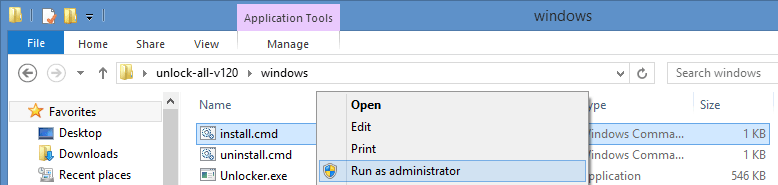
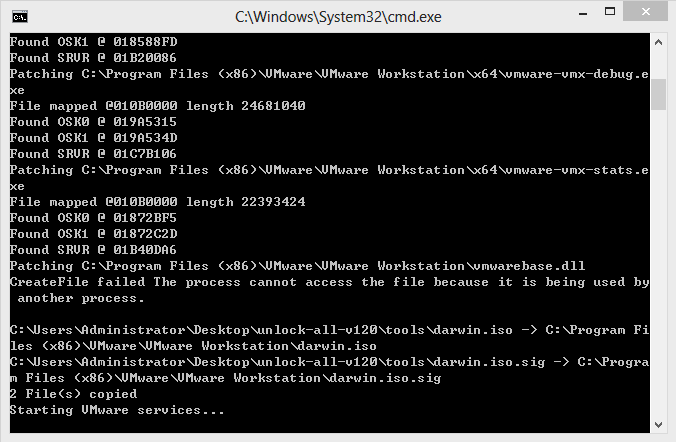
Unlocker will automatically stop VMware services, backup VMware program files, program files crack VMware, restart the VMware service and a series of operations, and will automatically end the command line window.
After the break VMware has created a virtual machine system selection dialog:
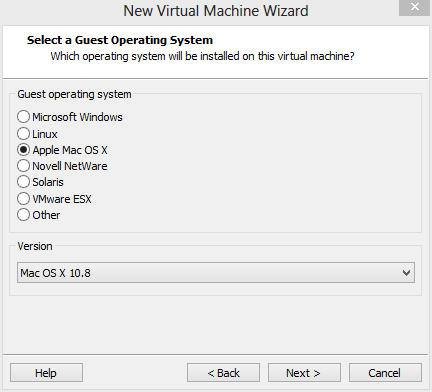
Create Mac OS X, VMware virtual machines
After Unlocker crack, start VMware Workstation normally create a virtual machine, select "Apple Mac OS X" (depending on the Mac OS installation disk in the system, select the corresponding version of the correct version, here I use a Mac OS X Mountain Lion, version 10.8 64-bit). Creation process has the following non-default configuration:
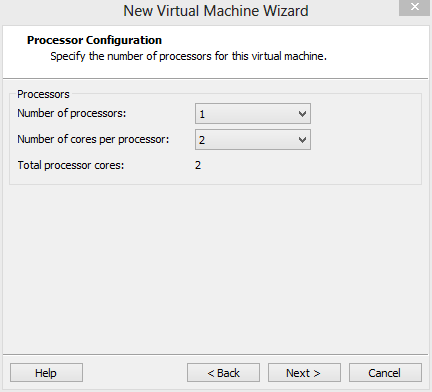
(1) in the processor options, select "Number of cores per processor (each processor cores)" for the two, which can induce a VMware virtual machine automatically enables advanced hardware virtualization technology.
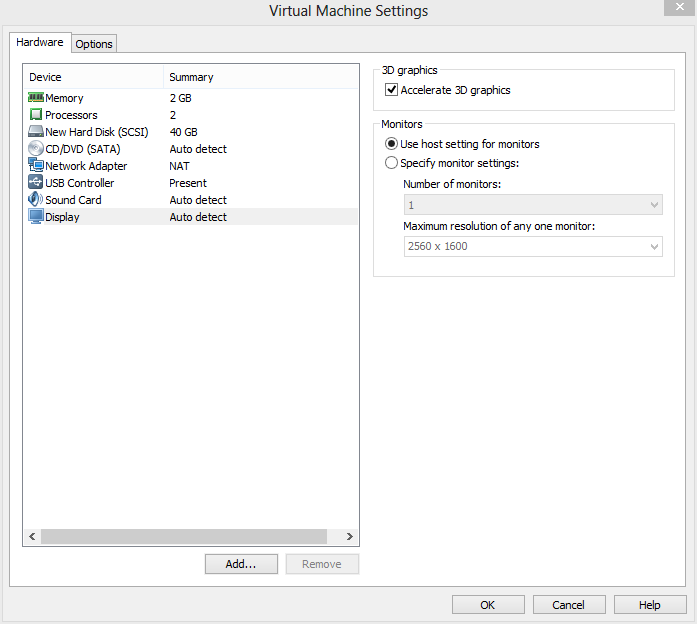
(2) after created, first click on the "Edit virtual machine settings", the hardware's "Floppy" delete option is enabled in the display "Accelerate 3D graphics".
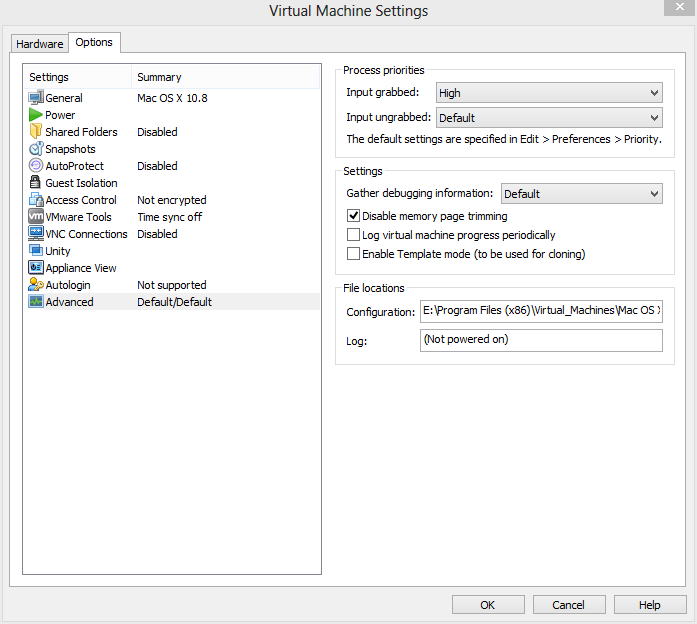
(3) In Virtual machine configuration, in the Advanced Settings, set the priority of the input capture "high", and check "Disable memory page trimming.
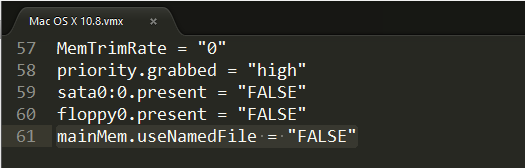
With a text editor (such as Notepad) to edit the virtual machine files (where the author is E:\Program Files(x86)\Virtual_Machines\Mac OS X\Mac OS X.vmx), add a line at the end of the file:
mainMem.useNamedFile = "FALSE"
This operation is used to disable the VMware virtual machine is placed on your hard disk memory mirroring prevents the virtual machine hard disk read and write operation occurs during the busy horrors.
Start the VMware virtual machine and install Mac OS X
Edit the virtual machine configuration "CD / DVD" option in the "Use ISO image file" at the choice of our Mac OS X installation disc image. (Please select the browse file dialog box when the file type, select "All Files (*. *)", You can see the file name suffix for the dmg image file.) Confirmation is complete, start the VMware virtual machine.
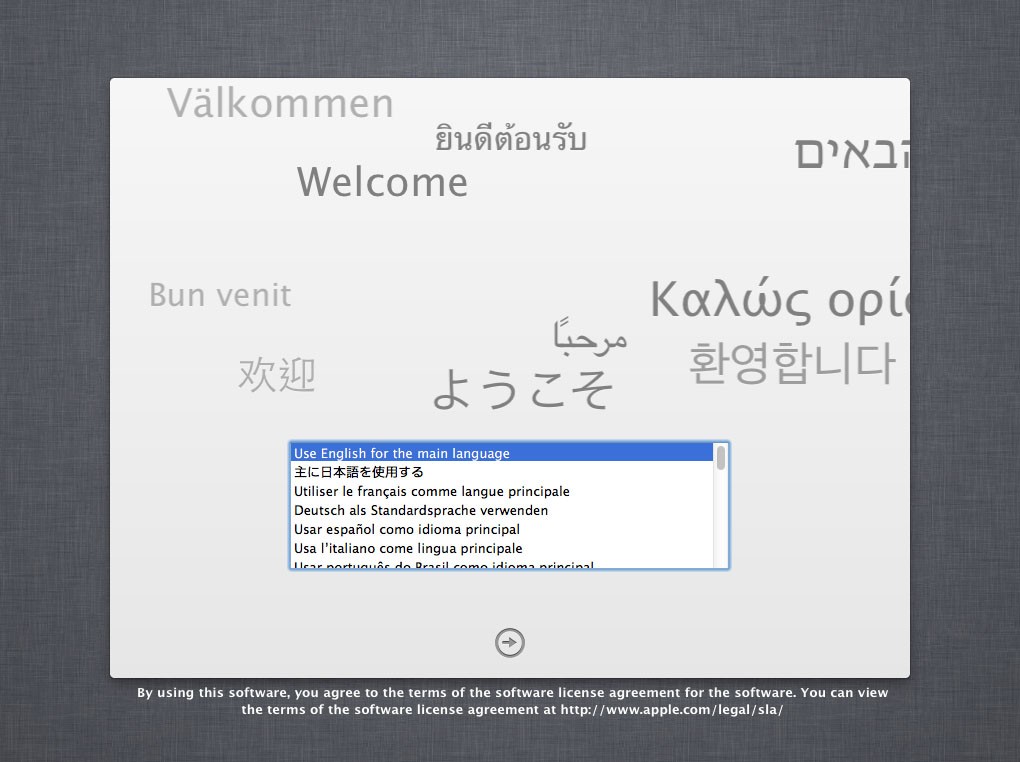
Start the virtual machine, the virtual machine default boot from the CD, the Apple Logo appears after officially came to Mac OS X installation interface.
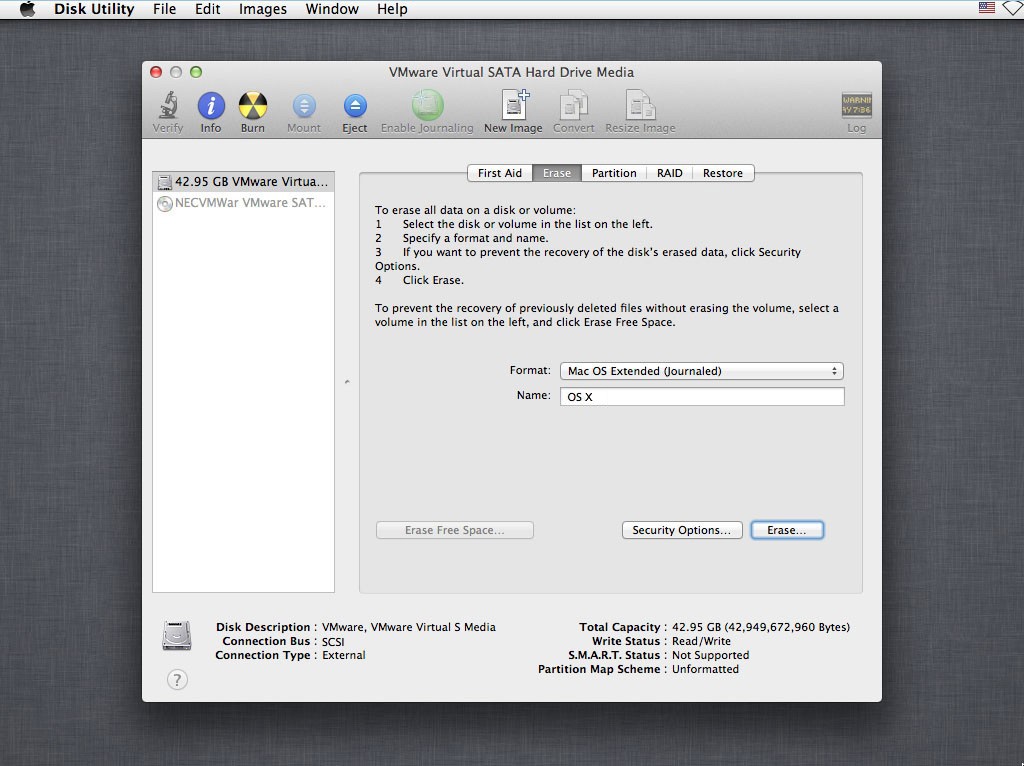
In the "Mac OS X Utilities" select "Disk Utility", select the first hard drive on the left and on the right select "Erase" (the "Format" select "Mac OS X Extended (Journaled)"), Click the "Erase" button to format the current drive.
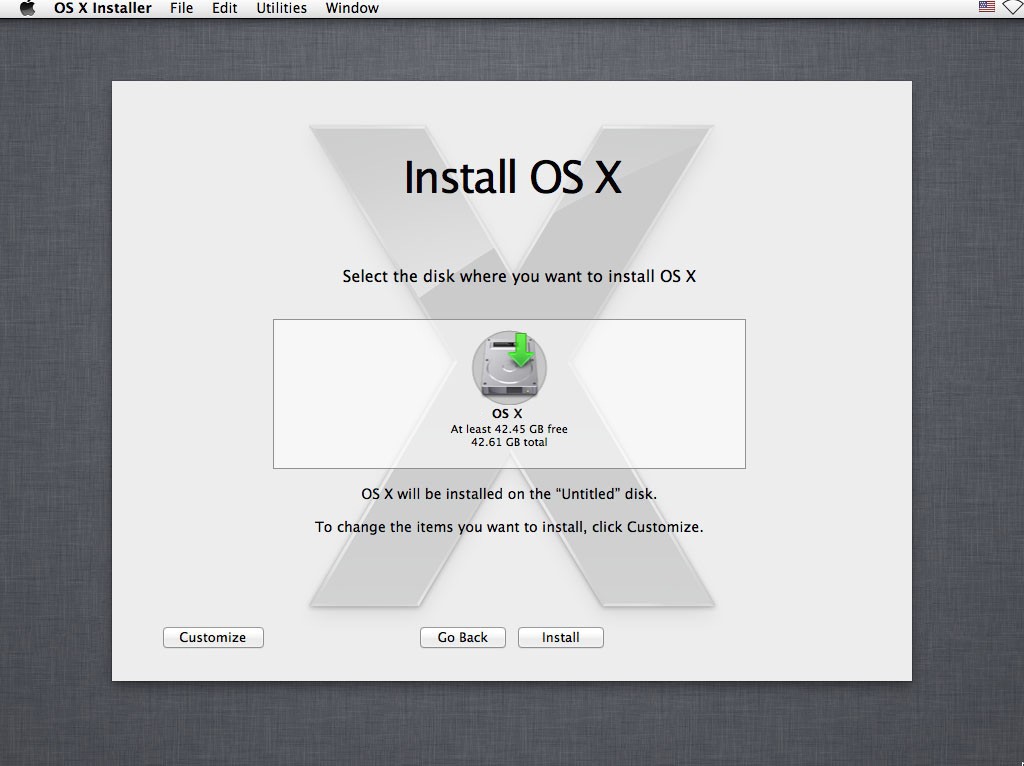
After formatting the hard disk partition, back to "Mac OS X Utilities" and click "Install Mac OS X", enter the installation process.
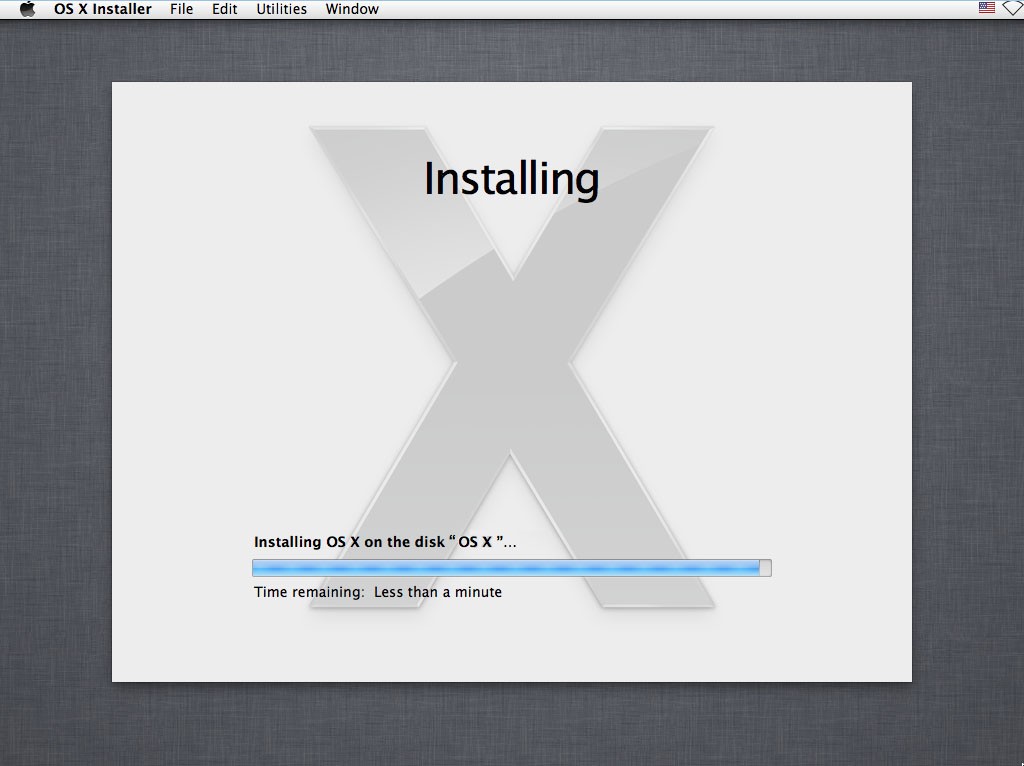
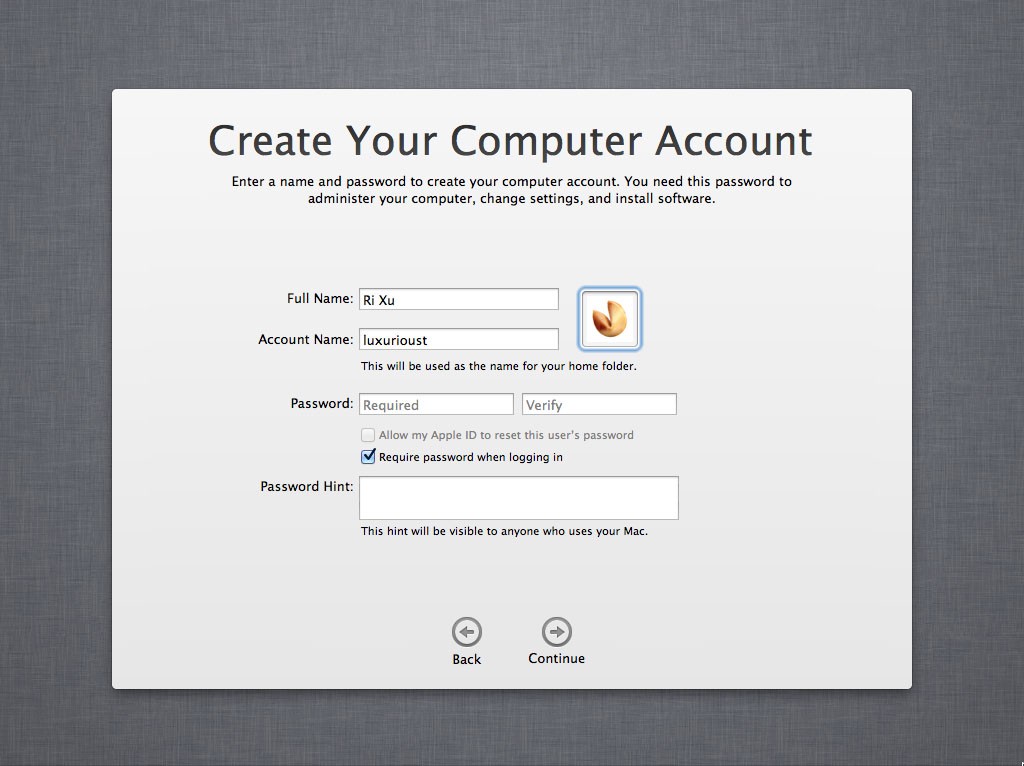
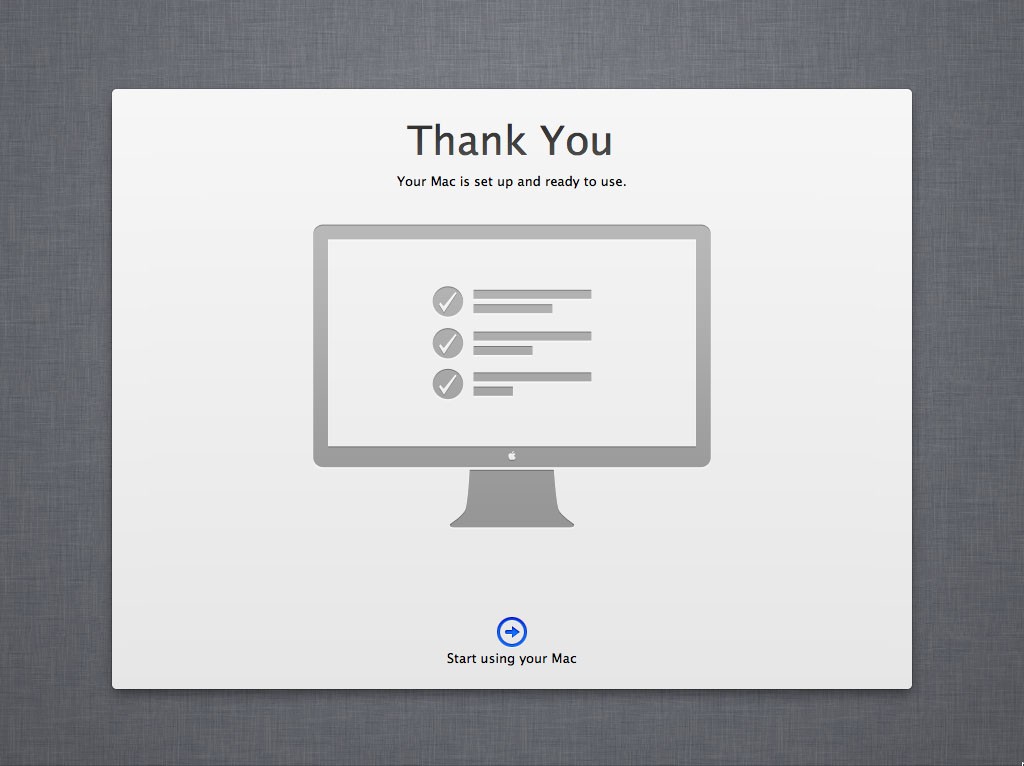
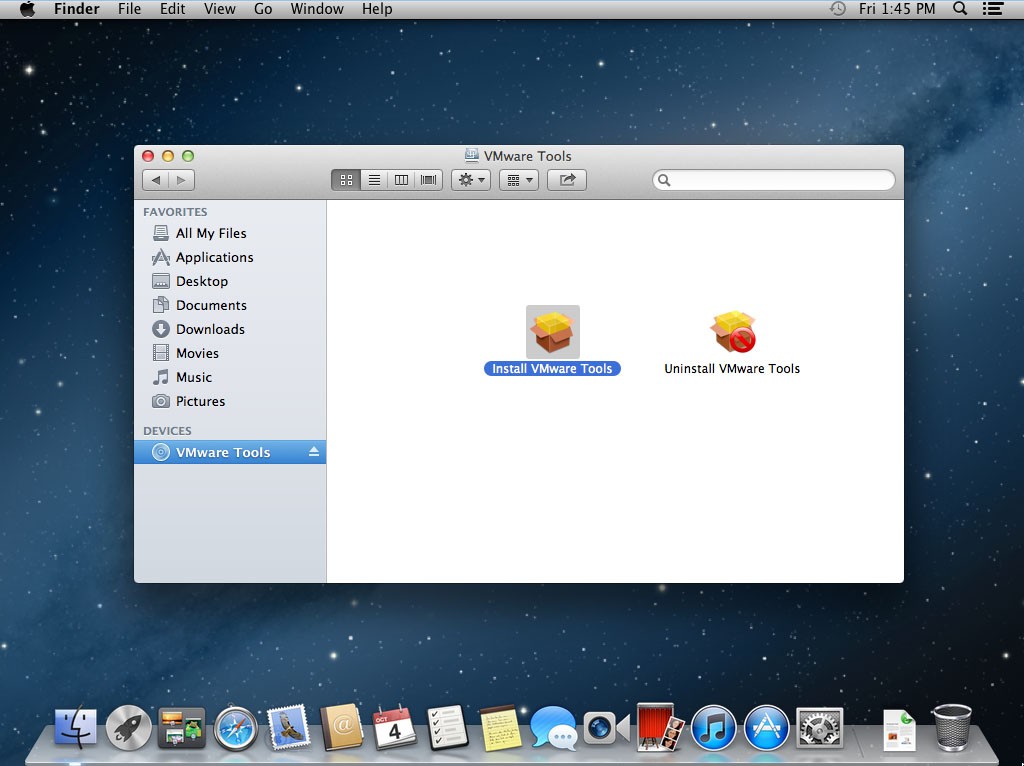
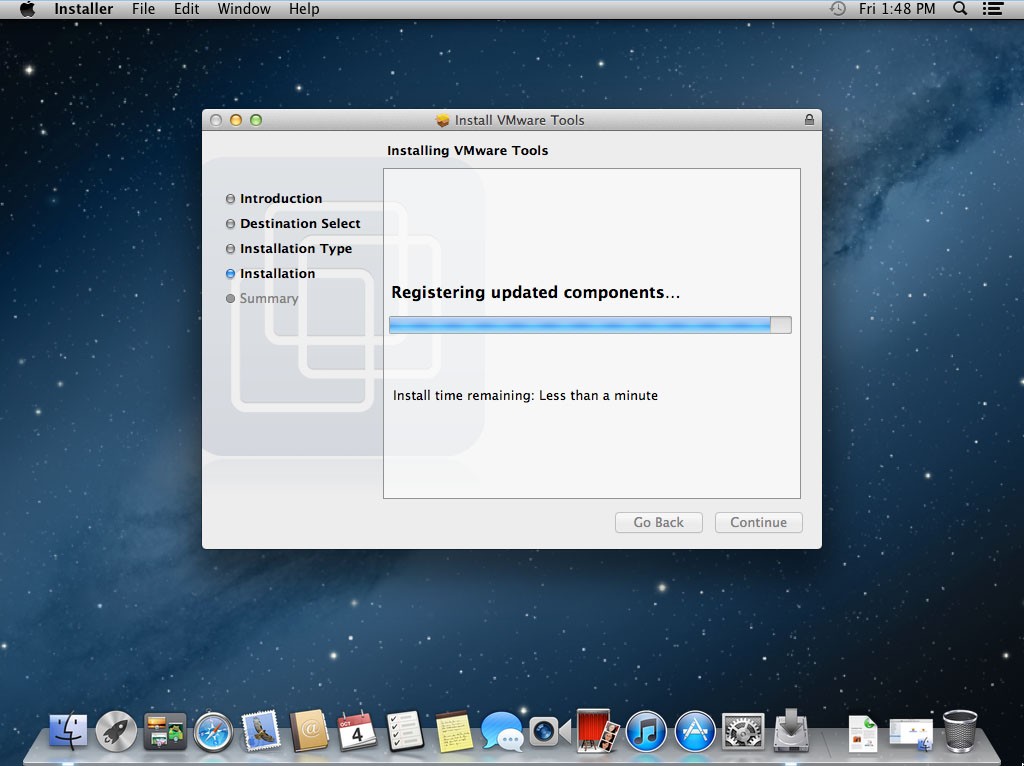
Completed in a VMware virtual machine after installing Mac OS X, the first thing of course is to install VMware Tools. VMware Tools includes the VMware virtual machine "hardware" drive, the virtual machine and the host communication between functional support.
Tools used herein Attachments Download
Size  : 5020352512 Bits
MD5   : 161B4FF7674A6A1D8F8967708FEC686E
SHA1  : DF6E9DFA4EB5A540BF502C9DC3993CA0D0E339D6
CRC32 : C0CB8876
Size   : 4329002 Bits
MD5    : EF051B1DE590388A1335736A5BAFED41
SHA1   : 8108C5239CF49F1AF03752B180123C788F75A432
CRC32  : 34DFDAF4
Update : 13-09-2013
谢谢!不过你提供的下载文件是10.6.8, 是Lion吧? ---Skywalker326
OS X 10.8.5 Mountain Lion Install DVD.iso
按照你的方法操作了。但是VM的虚拟机窗口里显示:
Attempting to start uo from:
-> EFI VMware Virtual SATA Hard Drive (0.0)...unsuccessful
-> EFI VMware Virtual SATA CDROM Drive (1.0)...Unsuccessful.
-> EFI Networking....
看上去是无法找到安装文件。我还尝试了网上下载到的10.7/10.8.3 版本的文件。也是一样的问题。用关键词google,没有人遇到过相关问题。会不会是我的硬件问题?我的是Dell Vostro 3360,WIn8+12年的Core i3 + 4G内存 +320G的笔记本硬盘。我怀疑是SATA的设置是ACHI,但是在BIOS里一旦改成ATA之后就无法进入系统,不停重启。
我是一个学经济的学生,突然想和同学开发一个iOS APP,我们都是Windows电脑,目前没钱买MAC。所以只能依靠虚拟机了。如果你有任何解决方法的思路的话麻烦告知一下~谢~
你好, 我曾经遇到过和你所描述相同的问题, 因为 VMware 并不支持挂载 dmg 文件的方式来安装 OS X, 所以可能需要使用经过修改的 ISO 镜像文件来安装, 根据所提供的信息, 请确保在虚拟机设置中 CD/DVD 挂载了本文中所提供的 ISO 镜像文件, 并且设置为启动时链接. 如果依然存在问题请留下你的联系方式.
我用了dmg2img转换的iso;不行。我的QQ是840443326.多谢了!
明白了。我之前没下载你附上的iso,而是自己搜索了一个。现在试试你的。
所以,博主的意思是仍然使用iso进行安装,而不是使用dmg安装吗?
嗯 是的。
can the installation be done with a preventive of 8gb? Is the disc/ DVD needed for the I installation to run properly?
thx in advance Joey Spite
After installation is complete occupied disk size is about 5G, the CD-ROM drive need to mount OS X 10.8 Install DVD.iso file. You can also install OS X Mavericks 10.9 via mount OS X Install Mavericks 13A603.cdr file. Download from here https://drive.google.com/file/d/0B3-rWoshACJKN0pGUFl5VF8wb3M/edit?usp=sharing
When I click install it doesnt show any discs anyone know why?
I receive an error when running the VM
The CPU has been disabled by the guest operating system. Power off or reset the virtual machine.
after the installations is about 5 minutes left i get a blank white screen what do i do?
plz help
Im getting the same Error, i know VT is enabled since im running Windows 8 as my Main OS and i have been looking around and trying everything and it hasn't been working so please help
please i need some help i'm getting some problems i did everthing like
it say on top of here i have a Mac OS X 10.8 Mountain Lion ISO
Untouched so i just pres the play botton and it dossent go further than
the aplle logo can some bady help
I receive an error "still waiting for root device" what I have to do?
first run unlock
wait even for half hour
Thanks! But my friend had a VM running. I couldn't to install. Sorry for my English I'm still studying.
Were you able to fix this? I am getting the same error and tried everything.
Hi.. i had download the unlocker & installed too.. But in new virtual wizard i m getting the profile from the 2nd photo. can u help. i m using win 7 x64 with vmware 10........ for patching completing successfully.
thank you very much it worked perfectly ............
Dear, Ri Xu
I can't install OS X Mountaion Lion in VMware Workstation 10, it keeps telling me "unsuccessful installation, try to re-install again". what I have to do? I extract all files with winrar, does it make a problem with the files? Please help me, because this is so important for me, I have to build an application with OS X as a platform, therefore I need the XCode to do my paper. :(
Thanks for your clear guide. I successfully installed Mac OS in VM with your instruction and iso file. However I'm having a hard time to download Apps from App store. When I tried to download an app, it asked the administrator name/password. I entered user id/password in the prompting box but it just didn't like my user id/password. I checked Users&Groups and found that there were no administrator user but only a standard user. I googled and found the following information. http://www.cnet.com/how-to/how-to-quickly-restore-a-missing-admin-account-in-os-x/ . I tried that methods to create a new user a few times. But those users were all Standard users in Users&Groups. When I used those user id/password, nothing works. Could you help me out how to create an admin user in order to download some apps from App store? Thanks.
RI XU, I can't install VMware TOOLS can you please help.
Is there any max os x restore disk that would work with VMware Virtual Machine? Ps. VMware Virtual Machine is installed as shown and works great. sadly all download Iv tried are slow o not working. so it hit me can i use a restore disk to install max os x on my VMware Virtual Machine? If so from what mac should the restore disk come from? please help hopelessly lost trying to help a friend...
Download MAC OS X Lion (10.7) iso image for free
http://www.downloadfreeiso.com/2013/08/download-mac-os-x-lion-107-for-free-iso.html